Mirai
Contents
Intro
Quick box with an interesting way to recover the root flag hidden within a USB stick.
User
Time for nmap:
sudo nmap -sC -sV -p- 10.129.15.226

22/tcp    open  ssh     OpenSSH 6.7p1 Debian 5+deb8u3 (protocol 2.0)

53/tcp    open  domain  dnsmasq 2.76

80/tcp    open  http    lighttpd 1.4.35

1628/tcp  open  upnp    Platinum UPnP 1.0.5.13 (UPnP/1.0 DLNADOC/1.50)
32400/tcp open  http    Plex Media Server httpd

32469/tcp open  upnp    Platinum UPnP 1.0.5.13 (UPnP/1.0 DLNADOC/1.50)
The machine is hosting Plex (I tried signing up, but it ended up being broken) alongside something else which I couldn't access right off the get go.
I turned on burpsuite in order to find anything out of the ordinary in the request, which I did - right in the response's header:
X-Pi-hole: A black hole for Internet advertisements.
This led me to belive there might be a hidden directory I can access, so I ran feroxbuster against the website - it got me /admin, after which I was presented with a neat little dashboard:
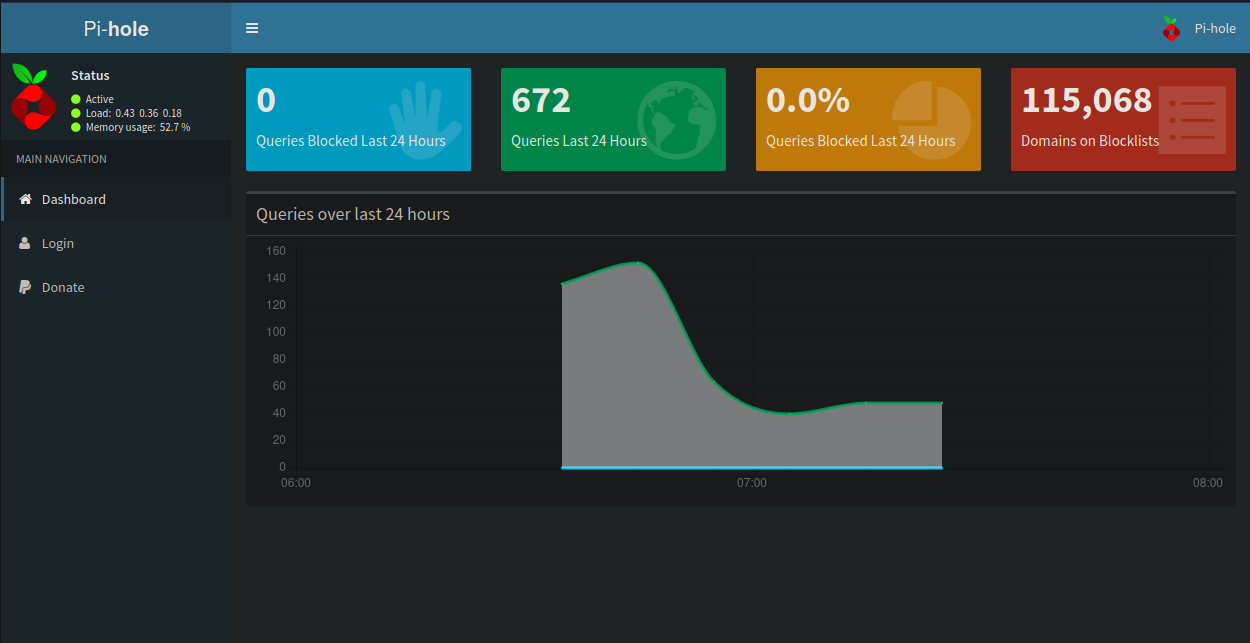
I went to the login page and started searching for the default credentials. Since the machine is running Debian, the username and password were pi and raspberry.
Then came the idea of trying to ssh into the machine with these credentials - fortunately enough, I succeeded!
Root
After gaining info, I quickly realized gaining root access would be pretty easy:
pi@raspberrypi:~ $ sudo -l

User pi may run the following commands on localhost:
    (ALL : ALL) ALL
    (ALL) NOPASSWD: ALL
By simply doing sudo su, we gain root access - job's obly half-done however, as when you cat the flag, this is what you'll find:
I lost my original root.txt! I think I may have a backup on my USB stick...
After this, I looked for the USB stick:
root@raspberrypi:~# lsblk
NAME   MAJ:MIN RM  SIZE RO TYPE MOUNTPOINT
sda      8:0    0   10G  0 disk
├─sda1   8:1    0  1.3G  0 part /lib/live/mount/persistence/sda1
└─sda2   8:2    0  8.7G  0 part /lib/live/mount/persistence/sda2
sdb      8:16   0   10M  0 disk /media/usbstick
sr0     11:0    1 1024M  0 rom
loop0    7:0    0  1.2G  1 loop /lib/live/mount/rootfs/filesystem.squashfs
Inside /media/usbstick is a file called damnit.txt and an empty lost+found folder. The text file reads as such:
Damnit! Sorry man I accidentally deleted your files off the USB stick.
Do you know if there is any way to get them back?

-James
When you delete a file, only the metadata tied to the file gets deleted. Until it gets overwritten, the raw data stays on the device. With this knowledge, we got the lost flag inside of /dev/sdb using strings /dev/sdb -n 32.
Unusual ending to a box, but it's good nonetheless. Good luck to anyone else trying this box!